F5 Automation/Orchestration/Super NetOps/DevOps Training > F5 Automation & Orchestration - Introduction Index
Lab 3.3 – Connect to the f5-super-netops Container
In the previous lab we started the container image and were presented with a root command prompt. In order to support use the container and it’s associated tools properly you connect via SSH and/or HTTP.
Task 1 – Connect via SSH
To connect to the image via SSH we must use the published port specified in the
docker run command. To review the command used to start the container was:
docker run -p 8080:80 -p 2222:22 -it f5devcentral/f5-super-netops
This will publish the standard SSH service on TCP/22 to TCP/2222 on the
Docker host. In the case of the SSH service the following mapping applies:
localhost:2222 -> f5-super-netops:22
Note
If you are using an F5 provided lab environment please use the SSH client and connect to the ‘f5-super-netops SSH’ item
Additionally the container includes the snops user with a password of
default. To connect to the container execute the following command
or it’s OS-specific equivalent:
ssh -p 2222 snops@localhost
Note
The host SSH keys are regenerated each time the container boots. As
a result you may receive an error when trying to connect indicating the host
key has changed. This error is safe to ignore in this case and can be
resolved by removing the key from ~/.ssh/known_hosts. You can also
configure your local SSH config by adding the following to ~/.ssh/config:
Host localhost
 Port 2222
 StrictHostKeyChecking no
 UserKnownHostsFile /dev/null
Example output:
$ ssh -p 2222 snops@localhost
Warning: Permanently added '[localhost]:2222' (ECDSA) to the list of known hosts.
snops@localhost's password:
                                .----------.
                               /          /
                              /   ______.'
                        _.._ /   /_
                      .' .._/      '''--.
                      | '  '___          `.
                    __| |__    `'.         |
                   |__   __|      )        |
                      | | ......-'        /
                      | | \          _..'`
                      | |  '------'''
                      | |                      _
                      |_|                     | |
 ___ _   _ _ __   ___ _ __          _ __   ___| |_ ___  _ __  ___
/ __| | | | '_ \ / _ \ '__| ______ | '_ \ / _ \ __/ _ \| '_ \/ __|
\__ \ |_| | |_) |  __/ |   |______|| | | |  __/ || (_) | |_) \__ \
|___/\__,_| .__/ \___|_|           |_| |_|\___|\__\___/| .__/|___/
          | |                                          | |
          |_|                                          |_|

Welcome to the f5-super-netops Container.  This container has the following
services running:

 SSH  tcp/22
 HTTP tcp/80

To access these services you may need to remap ports on your host to the
local container using the command:

 docker run -p 8080:80 -p 2222:22 -it f5devcentral/f5-super-netops

From the HOST perspective, this results in:

 localhost:2222 -> f5-super-netops:22
 localhost:8080 -> f5-super-netops:80

You can then connect using the following:

 HTTP: http://localhost:8080
 SSH:  ssh -p 2222 snops@localhost

Default Credentials:

 snops/default
 root/default

Go forth and automate!
[snops@f5-super-netops] [~] $
Task 2 – Connect via HTTP
To connect to the image via HTTP we must use the published port specified in the
docker run command. To review the command used to start the container was:
docker run -p 8080:80 -p 2222:22 -it f5devcentral/f5-super-netops
This will publish the standard HTTP service on TCP/80 to TCP/8080 on the
Docker host. In the case of the HTTP service the following mapping applies:
localhost:8080 -> f5-super-netops:80
Note
If you are using an F5 provided lab environment please use the browser and click the ‘f5-super-netops Container’ bookmark.
To connect via HTTP open a web browser and enter the URL:
http://localhost:8080/start
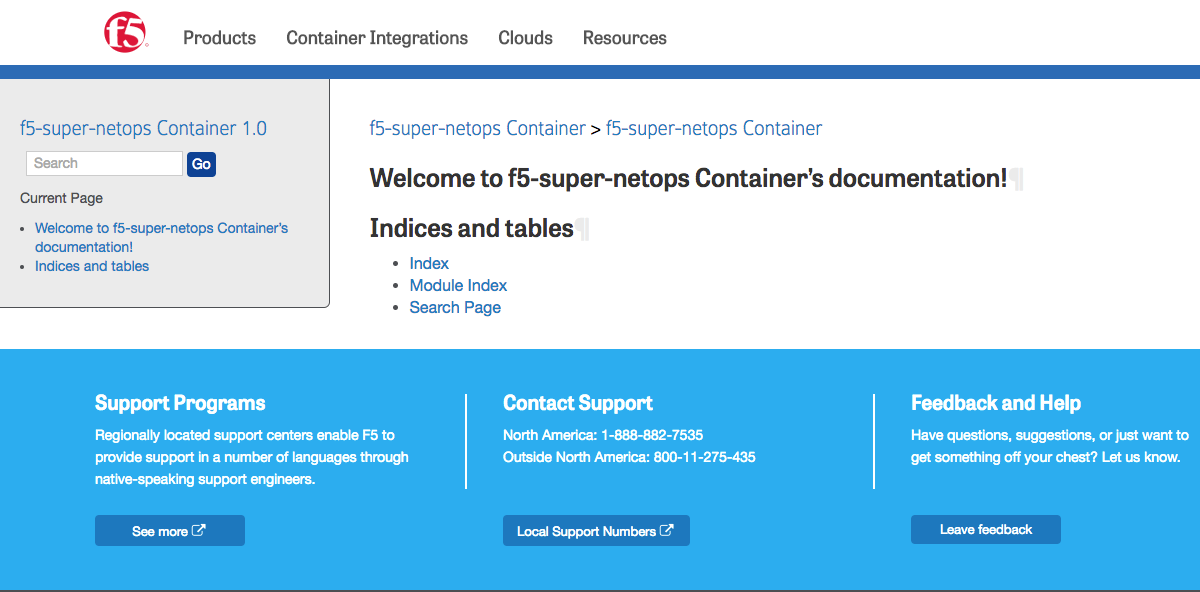
You should see a page like this:
| << Previous | Next >> |