Lab 3.6 – Create a Python Script
In this lab we will use the ‘Generate Code’ feature of Postman to create a python script from a collection of requests.
Task 1 – Create a simple script
Perform the following steps to complete this task:
Expand the ‘Lab 3.6 – Create a Python Script’ folder in the Postman collection
Click the ‘Step 1 – Create a HTTP Monitor’ item in the collection
Click the ‘Generate Code’ link in the Postman window:

Select Python -> Requests from the menu on the top right of the window:

Examine the Python code that was generated. Click the ‘Copy to Clipboard’ button
Open a new text file and paste the generated code. We need to modify the line that sends the request to DISABLE SSL certificate verification. Find the following line:
response = requests.request("POST", url, data=payload, headers=headers)
And add a verify=False option to it:
response = requests.request("POST", url, data=payload, headers=headers, verify=False)
Save the file on your Desktop as lab3_6.py
Open a command prompt and run the script by typing
python lab3_6.py: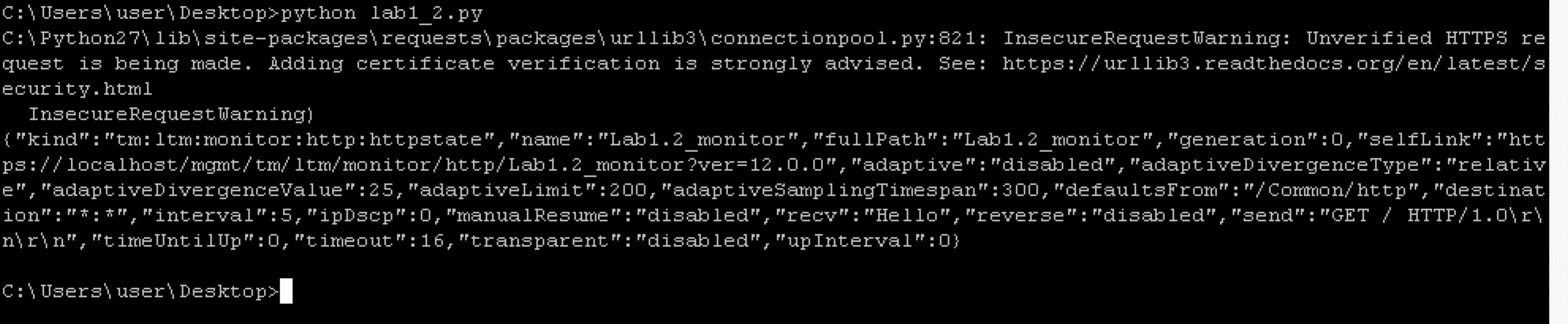
Verify the monitor was created on BIG-IP
Delete the monitor to prepare for the next task
Task 2 – Chain together multiple requests
In this task we will repeat the process from Task 1 to chain together multiple requests.
Perform the following steps:
- Repeat the procedure from Task 1 with each of the items in the ‘Lab 3.6’ postman collection. Append each snippet of code to your existing script until you have all 5 requests in the script. You will need to remove the duplicate ‘import requests’ lines and update each request with the ‘verify=False’ option.
- Save the file
- Run the script and verify the config was created.